National Casino App for iOS and Android

National Casino offers mobile access to games through an installable web application. It works in the PWA format and is launched from a separate icon on the smartphone screen in much the same way as a regular application.
The user does not need to search for National Casino on Google Play or the Apple App Store. Installation is performed directly from the official website via the Chrome browser on Android or Safari on iPhone and iPad. A separate APK file is also not needed.
The application uses the same account as on the desktop site. Balance, Active bonuses, Comp Points, VIP Level and transaction history are synchronized between devices.
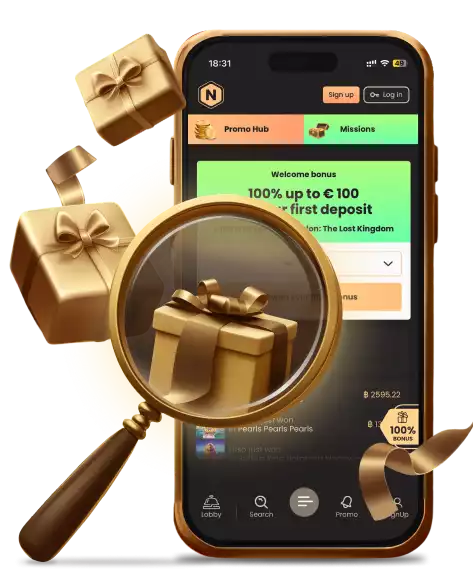
For the first suitable installation, an App Bonus is provided — 10 Free Spins without a deposit. The award is given once and may require manual activation after logging into the account.
How to Download & Install the App?
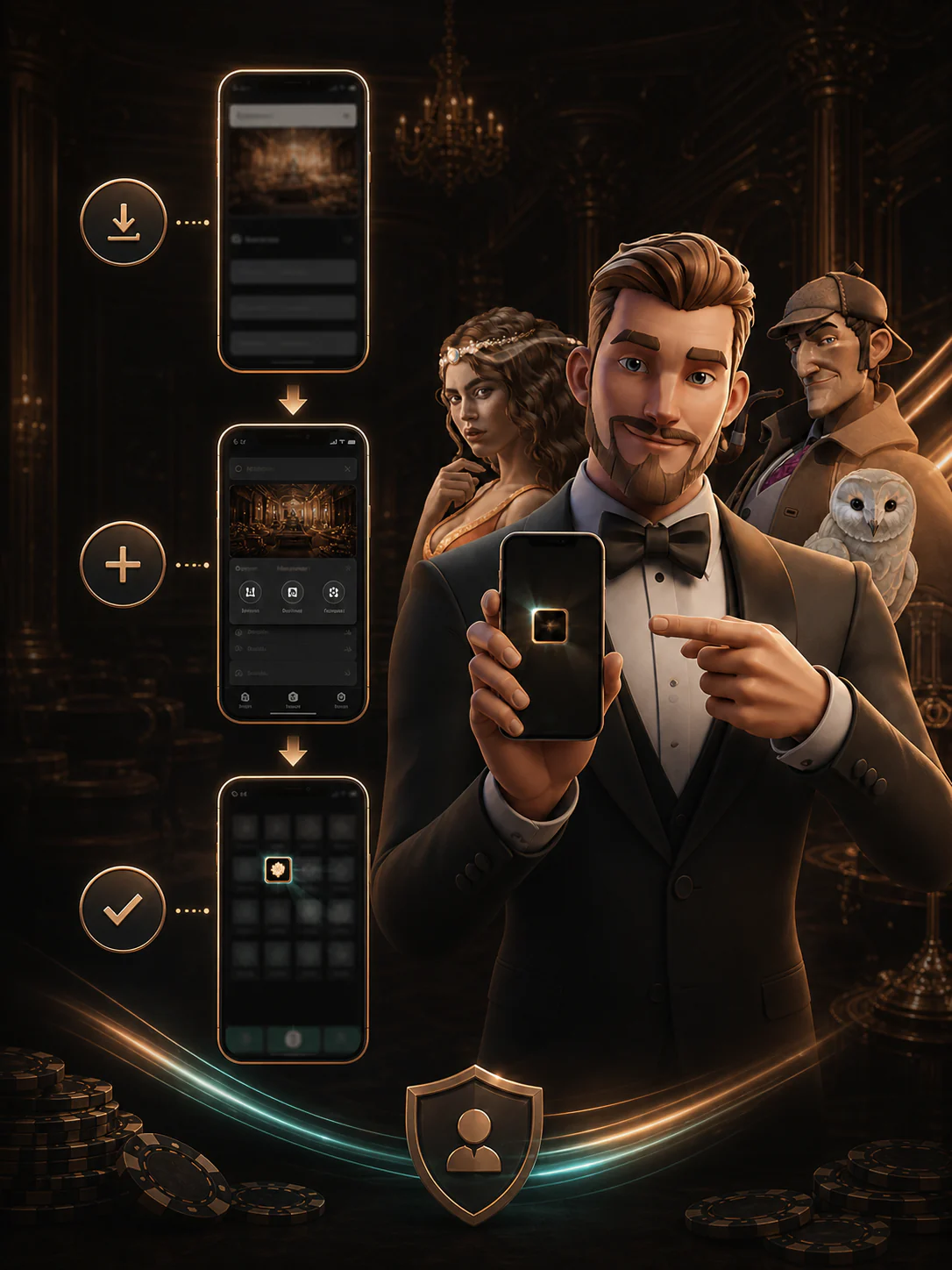
The National Casino app is installed through the regional version of the New Zealand website. The user needs to open the Application section or use the browser's suggestion to add the site to the home screen.
General installation procedure:
PWA does not take up as much space as a full-fledged native application, since most of the data is downloaded over the Internet. An active network connection is still required to launch games and process payments.
App Features & Benefits
The mobile application retains the main features of the desktop version and adapts them to touch controls. The user can search for games, top up their balance, activate bonuses, and contact support from a single device.
 Superior Portability
The main advantage of the application is quick access to the platform without constantly searching the site in the browser. The National icon is placed on the main screen next to other applications.
The player can switch between smartphone, tablet and computer while continuing to use:
- total real balance;
- bonus balance;
- Active Free Spins;
- VIP progress;
- Comp Points;
- the history of deposits and withdrawals;
- saved profile settings.
The mobile format is suitable for short gaming sessions, as well as for viewing promotions or checking payment status.
Stronger Security
PWA is installed directly from the National Casino website, so the user does not need to download an APK from an unknown source or transfer data to a third-party app store.
To protect your account, we recommend:
- use a unique password;
- do not save login information on someone else's device;
- check the website address before authorization;
- do not share the password with the support staff;
- log out of your account on a shared smartphone;
- install browser and operating system updates;
- Use a screen lock with a PIN or biometrics.
The app uses the same login and the same KYC procedures as the main site. Installing a PWA by itself is not a substitute for identity verification
Perfect Mobile Optimization
The National Casino interface automatically adjusts to the size of the screen. The main buttons, game categories, and Cashier are available through the mobile menu, and the game cards are arranged in a compact grid.
Optimized for mobile devices:
- search by game name;
- filters by category and providers;
- switching between casino and sportsbook;
- viewing bonus cards;
- Live Chat;
- deposit window;
- VIP section;
- vertical and horizontal game mode.
Slots are usually launched directly in the browser window of the application. Demo Mode is available in many games, whereas Live Games require authorization and real balance.
App-Only Exclusive Features
The main exclusive offer for mobile users is the App Bonus.
Terms of the promotion:
- 10 Free Spins;
- no deposit required;
- available after the first suitable installation;
- The user must log in to the account through the installed application.;
- The reward can be awarded within one hour.;
- The bonus is given once per person, email, browser, device and IP address;
- Free Spins must be used within the prescribed time limit.;
- General Bonus Terms & Conditions apply.
After installation, open the Bonuses section and check the available reward. If the Free Spins do not appear within the specified time, you must contact the Live Chat before the game starts.
National Casino App Requirements
National Casino works as a PWA, so you don't need to download an APK or search for an app in the official store to install it. The main requirement is a modern mobile device with a browser that supports adding web applications to the home screen.
Mobile Web Version vs App
The mobile website and the installed application use the same web platform. Their set of functions is almost the same, but the PWA provides faster access through a separate icon.
Join nowFAQ
Does National Casino Have an Android App?
Yes. National Casino can be installed on Android as a PWA via Google Chrome. This is not a native app from Google Play and not a separate APK.
Is the National Casino App Available in the App Store?
There is no confirmed National Casino app in the Apple App Store. On the iPhone and iPad, the platform is added to the home screen via Safari.
Do I Need to Download an APK?
No. You do not need to download the APK and allow the installation of files from unknown sources. The application is installed via a browser.
Is the National Casino App Free?
Yes. The PWA installation is free. The user independently decides whether to make a deposit and whether to play for real money.
Do I Need a New Account for the App?
No. The application uses the same email address and password as on the desktop website or in the mobile web version. The balance and account history are synchronized automatically.
Can New Zealand Players Use NZD in the App?
Yes. If the NZD currency is set in the profile, the balance, deposits and local bonus amounts are displayed in New Zealand dollars.
What Is the National Casino App Bonus?
For the first suitable PWA installation, 10 Free Spins are provided without a deposit. The user must log into the account through the installed application and check the accrual in the Bonuses section.
The bonus is given once per person, email, browser, device, and IP address. The validity period, wagering and other general conditions apply to it.
Can I Play Live Casino Through the App?
Yes. Live Blackjack, Live Roulette, Live Baccarat, Live Poker and Game Shows are available in the app. The game requires authorization, a real balance and a stable Internet connection.
Does the App Update Automatically?
Yes. Since National Casino operates as a PWA, the main changes are downloaded from the web platform. You do not need to install updates manually through the app store.
Responsible Gaming

The National Casino mobile app makes it easier to access games, so it's especially important to set personal limits in advance. Bonuses, Free Spins and notifications about new promotions do not change the probability of winning and do not guarantee a refund of the funds spent.
Before starting a mobile session, it is recommended to determine:
- the maximum deposit amount;
- acceptable amount of losses;
- duration of the game session;
- weekly or monthly budget;
- the moment after which it is necessary to stop the game;
- bonus conditions corresponding to the planned expenses.
You should not increase the bets in order to complete wagering faster or return the lost funds.
Final Thoughts

The National Casino App provides players from New Zealand with almost the same set of features as the desktop version: slots, Live Casino, sports betting, Cashier, Promotions, Tournaments and VIP Club.
The application works in PWA format and is installed directly from the website. On Android, Chrome and the Install App command are used, while on iPhone and iPad, Safari and the Add to Home Screen function are used. You do not need to download the APK or search for the platform on Google Play or the App Store.
The main advantages of the mobile version:
- quick launch from the home screen;
- shared account and balance with the desktop website;
- NZD support;
- access to games and payments;
- automatic updates via the web platform;
- 10 Free Spins for the first suitable installation.
The main limitation is that the application does not work without the Internet. The National Casino App is suitable for users who regularly access the platform from a smartphone and want to get more convenient access without constantly opening a browser.
Join now